
Literacy Greetings ^_^
This time the Library Team would like to explain in detail the E-Library registration procedure. Because it is felt that there are still many students who do not know about the registration procedures and requirements, then we will explain it to all your library friends.
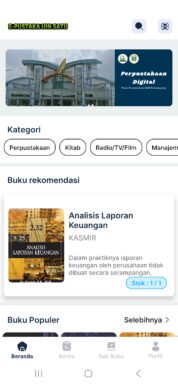
Previously, Library friends can install the E-Pustaka application in two versions, namely the Android version and the Windows version. The Android version can be installed via Playstore, Meanwhile, the Windows version can be downloaded via the link address https://kubuku.id/download/e-pustaka-iainta
When registering for E-Library, First, make sure that the identity that you upload is a valid KTM UIN photo of Sayyid Ali Rahmatullah Tulungagung.. Like the example below:

or

NB: Photos and writing must be clear and legible
There are certain conditions, among them :
* For UIN alumni Sayyid Ali Rahmatullah Tulungagung, You can upload a photo of Sayyid Ali Rahmatullah Tulungagung's UIN diploma

Meanwhile, the E-Pustaka registration procedure is as follows:


(library)